



StrategyBlocks Feature Focus: Ownership Without Access, and More
This month’s updates give you more control over who can access your StrategyBlocks model and how much detail your tables show, plus more room to work in the Options Pane.
01 Assign ownership without granting access
You can now remove a user’s access to StrategyBlocks while keeping them in your model. They can no longer sign in or receive emails, but they keep their seat, their role, and everything they own. That means you can make someone accountable for a block without giving them access to your plan: a board member who owns a strategic objective, for example, or an external partner leading a joint initiative.
02 Choose what the Milestone column shows
Show the detail that matters and hide the rest. In the Blocks Table layout, and in Blocks Tables embedded in dashboards, you can now switch off Steps, Step Dates, Comments, and Comments Beside Steps in the Milestone column. Keep it detailed for working sessions, or simplify it for executive reviews. You can also now display milestone step comments in the table.

03 Widen the Options Pane
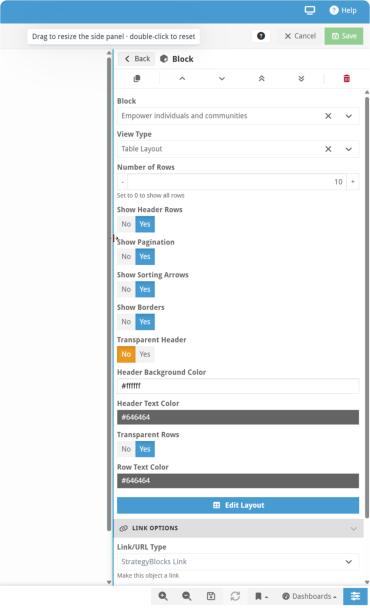
Drag the edge of the Options Pane to make it wider, so you can see more of each object’s settings without scrolling. Double-click the edge to return it to its default size.
Want to see these updates in action? Book a demo with our team.
Leave A Comment